Optimal Access · Docs
Publishing
Kurator makes it easy to publish content from selected folders to your website and newsletter.
Once you set up your publishing method, any new links and changes made to posts in the folder will be automatically synced and published to the selected property.
With Kurator, you can publish curated posts to a WordPress website using our KBucket plugin.
Additionally, you can generate custom RSS feeds, carousel and card embeds using the Sync Folder feature.
These embeds can be displayed on your website or any platform that supports HTML embed codes.
In addition to the card embed, we also offer a YouTube gallery embed that lets you embed and play YouTube galleries and carousels directly on your website.
WordPress KBucket Publishing
Kurator is the editor for our WordPress plugin KBucket.
With KBucket, you can publish the content of one or more folders as a channel on your WordPress website.
KBucket files connect the content of your folders with your KBucket resource hub on your WordPress website.
You can manage multiple websites by building a different KBucket file for each one.
To get started, right-click on the KBucket files folder and create a new file.
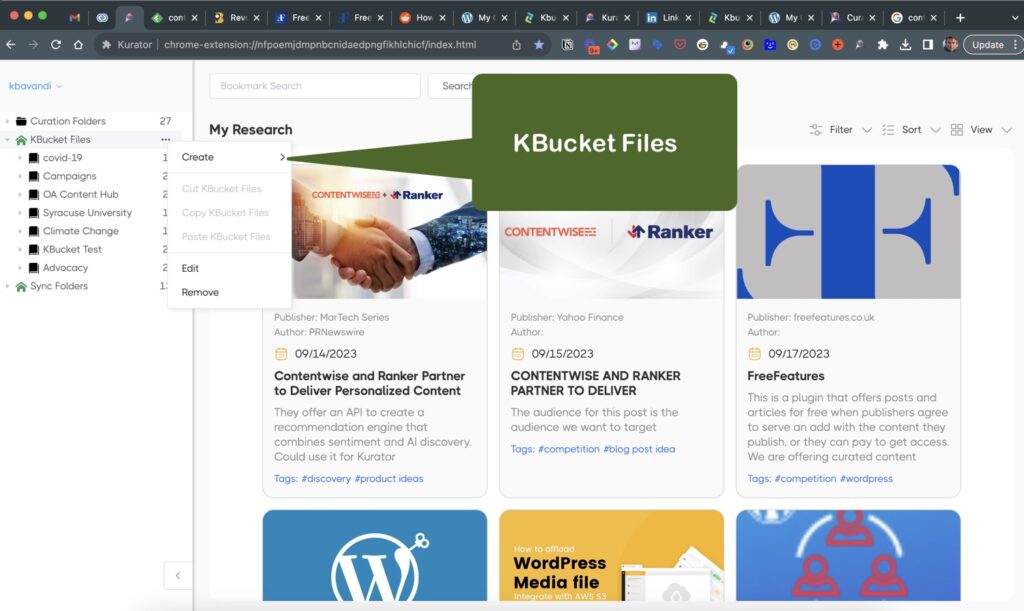
Next, create a channel to categorize your folders and create two-step navigation for your KBucket pages.
Once you've created your channel, attach the folders you want to publish to your KBucket page.
Finally, generate a link from the file to add to your KBucket plugin and sync the content of your selected folders with your website.
Kurator Publishing (Sync Folders)
You can publish the contents of individual folders directly from your Kurator app by adding the desired folder to the Sync Folder section of Kurator.
To do this, right-click on the folder (or click on the three dots to the right of the folder) and select "Add to Sync Folders".
Once the folder is added to the Sync Folders section, you will have the following publishing options:
- Generate a Custom RSS feed
- Generate a Card Embed
- Generate a YouTube Embed
RSS Feeds
You can generate custom RSS feeds per folder under the Sync Folder tab.
Simply add folders you want to export to Sync Folders.
After the folder is added to Sync Folders, you can right-click on that folder and generate a custom RSS link for that folder.
You can use this RSS feed to publish your links to your website, newsletter, or social channels using marketing automation tools.
Kurator Embeds
Kurator offers two types of embeds: regular post embeds and YouTube embeds.
Mixed media embeds enable you to share the contents of any folder as a gallery or carousel, based on your chosen theme.
YouTube embeds allow you to create YouTube galleries and carousels based on your chosen theme, and play the video directly on your page.
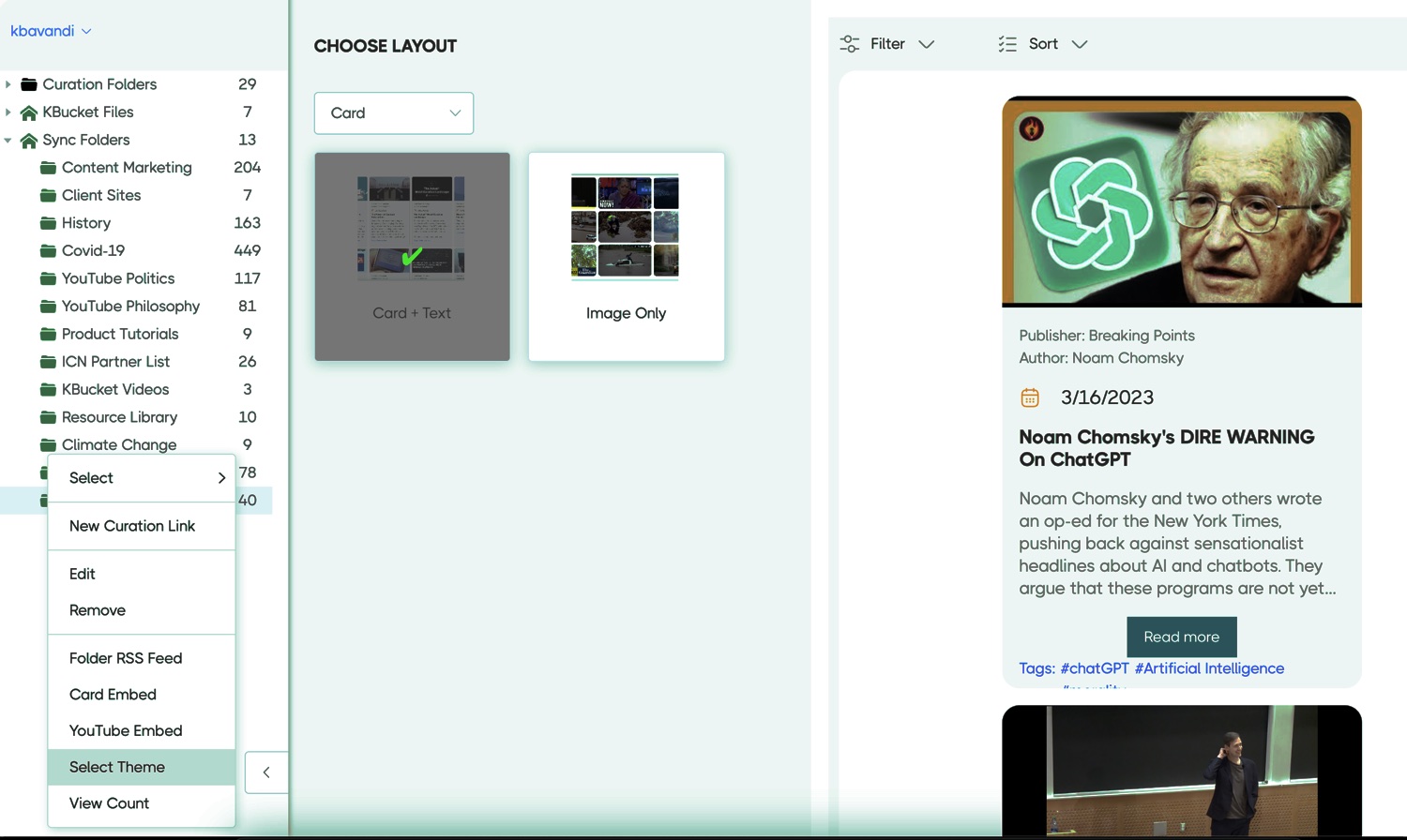
With either embed type, you can choose a theme to display your content, including Image only and Image plus text embeds.
Carousel Embeds
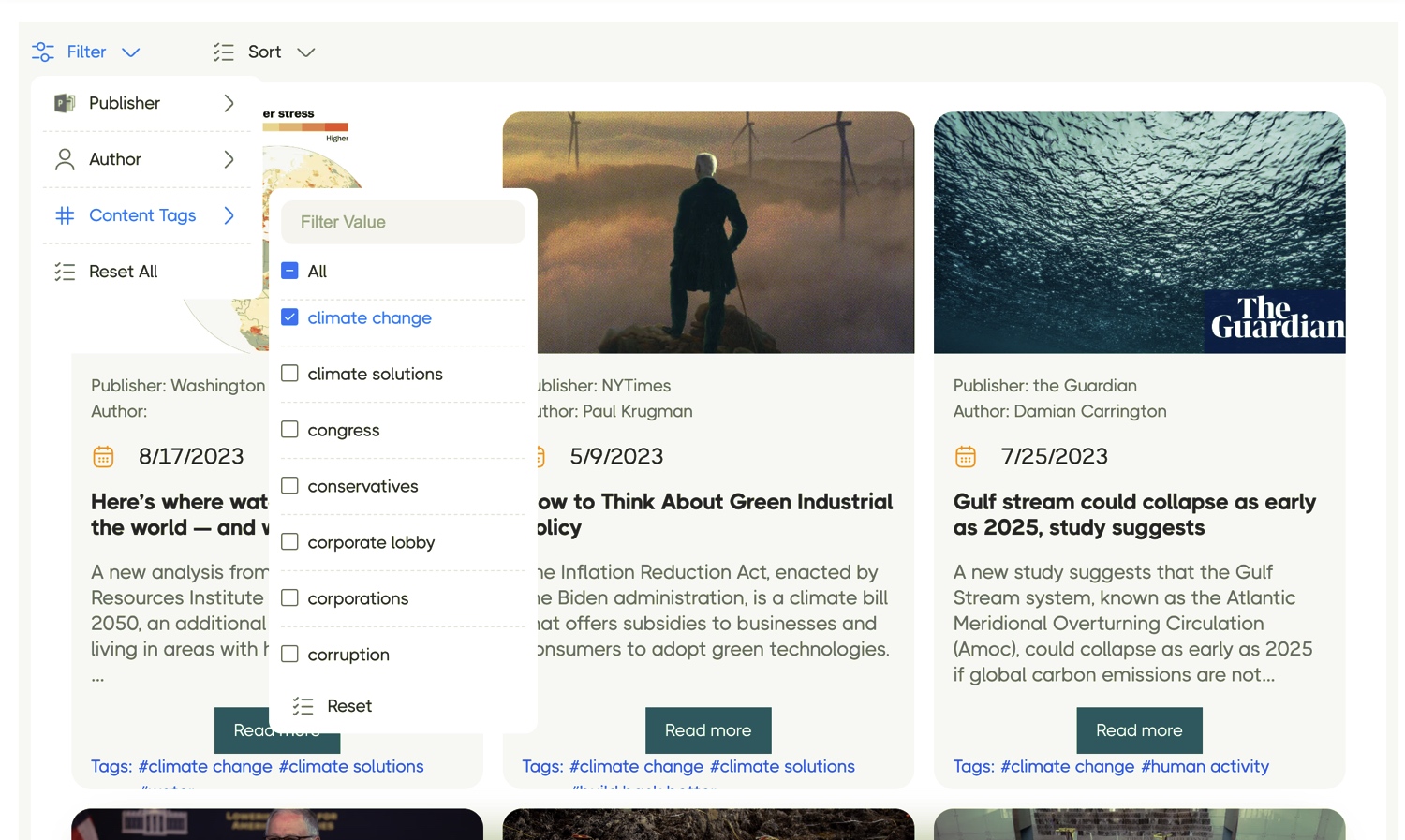
Carousel embeds enable you to filter the information you wish to display in your carousel.
You can filter the content by Publisher, Author, and Content tags.
You can activate more than one filter.
You can also use the sort function to arrange the selected content in the desired order.
Once done, select the theme for your carousel and copy the embed code to place it on your website.
Gallery Embeds
Gallery embeds will display the entire folder content on your website.
Users can filter information from the menu using the Publisher, Author, and Content tags, or directly on the card.
Users can also organize content based on their criteria using the sort functions.
The Gallery can be displayed as an image only or as an image plus text, similar to the Carousel themes.