
Kurator vs Toby: The Smarter Way to Manage Information Overload Online
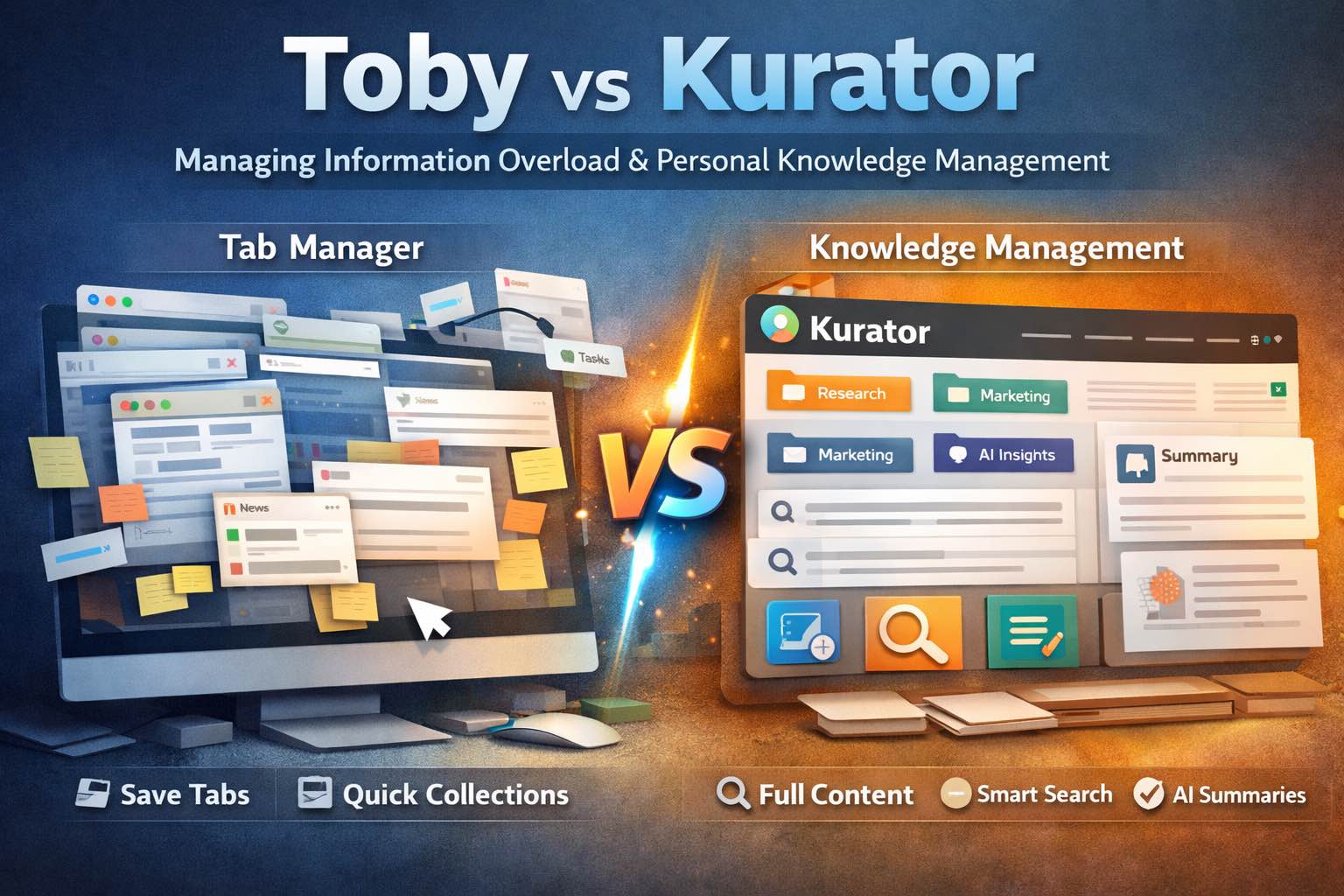
If you’ve ever searched for “ways to manage information overload online” or “best personal knowledge management solution,” you already know the problem is real.
Tabs multiply. PDFs pile up. AI chats scroll into oblivion. Bookmarks become a graveyard of good intentions.
The modern knowledge worker isn’t struggling to find information. They’re struggling to manage, retrieve, and use it.
That’s where tools like Toby and Kurator enter the conversation. At first glance, they may seem similar — both help organize links. But once you look deeper, you’ll see they solve very different problems.
This post breaks down the difference and explains why Kurator is built not just to reduce clutter – but to transform how you manage knowledge, research, and workflow.
The Real Problem: Information Overload Online
Before comparing tools, let’s zoom out.
Today’s information flow includes:
- Dozens (or hundreds) of browser tabs
- Research articles across multiple projects
- AI conversations with insights buried in scroll history
- PDFs saved locally but never categorized
- Bookmarks saved “for later” that never get revisited
Studies consistently show knowledge workers spend 1.5–2.5 hours per day searching for information — not discovering new insights, just trying to relocate what they already saw.
That’s friction work.
And friction work compounds.
The solution isn’t “save fewer things.” It’s to implement a real Personal Knowledge Management (PKM) system that allows you to:
- Capture information
- Organize it by context
- Retrieve it quickly
- Use it inside your workflow
Let’s look at how Toby and Kurator approach that challenge.
Toby: A Clean Way to Manage Tabs
What Toby Does Well
Toby is primarily a tab and link management tool. It helps users:
- Save open tabs into collections
- Organize links into visual workspaces
- Reduce browser clutter
- Quickly access saved groups of links
For people who live with 40+ open tabs at all times, Toby provides immediate relief.
You can group links into projects or “spaces” and reopen them when needed. It acts like a smarter bookmark manager with a clean interface.
For workflow hygiene, that’s helpful.
But Toby focuses on links and sessions — not knowledge depth.
Kurator: A Personal Knowledge Management System
Now let’s look at Kurator.
Kurator is not just a bookmark tool.
It is a Personal Knowledge Management solution designed to combat information overload at scale.
Here’s the difference:
Toby stores links.
Kurator captures and structures information.
That distinction changes everything.






1. Capturing More Than Just URLs
When you save something in Kurator, you’re not just storing a URL.
You’re building structured knowledge.
Kurator allows you to:
- Save full web content
- Organize links into context-driven collections
- Add tags and metadata
- Prepare content for future retrieval
- Process content with AI if needed
Instead of asking:
“Where was that link?”
You ask:
“What was that insight about pricing psychology from last month?”
That’s a different level of thinking.
2. Managing Information Overload with Context
Information overload isn’t caused by too much information.
It’s caused by information without structure.
Kurator solves this through:
Collection-Level Organization
You can organize links into contextual collections based on:
- Research topics
- Clients
- Campaigns
- Content pillars
- Time periods
- Product features
Each collection becomes a container of focused knowledge.
This allows you to think in projects, not tabs.
System-Level Search with Filtering
This is where Kurator becomes a real personal knowledge management solution.
Kurator provides:
- Collection-level search
- System-wide search
- Filtering capabilities
Instead of scrolling through bookmarks, you can:
- Search across your entire knowledge base
- Filter by collection
- Narrow by tags
- Retrieve links in seconds
This is what separates basic organization from intelligent retrieval.
When people search for:
“Best way to organize research across multiple projects”
This is the capability they’re actually looking for.
Join our Newsletter
Join Our Newsletter
3. Kurator as a Workflow Tool
Many tools store information.
Very few integrate into your daily workflow.
Kurator is designed to live inside your browser environment.
Users can:
- Pin the Kurator browser tab
- Keep it open as a permanent index
- Use it as a central dashboard for accessing knowledge
Instead of jumping between bookmarks, Notion, PDFs, Slack, and AI chats, Kurator becomes your reference hub.
Think of it as:
Your index to everything you’ve researched.
Your personal search engine for your own curated web.
When you’re writing, researching, planning, or preparing content, you don’t start from Google.
You start from your own organized knowledge base.
That changes your speed and clarity dramatically.
Kurator vs Toby: Side-by-Side Comparison
Let’s make this clear.
|
Feature |
Toby |
Kurator |
|
Tab management |
Yes |
Yes |
|
Link collections |
Yes |
Yes |
|
Full content capture |
No |
Yes |
|
Context-based organization |
Basic |
Advanced |
|
Collection-level search |
Limited |
Yes |
|
System-wide search with filters |
No |
Yes |
|
Workflow integration |
Moderate |
High |
|
Designed for PKM |
Not primarily |
Yes |
|
Knowledge base building |
No |
Yes |
Toby helps you manage sessions.
Kurator helps you manage knowledge.
Why Personal Knowledge Management Matters More Than Ever
We’re entering a world where:
- AI generates insights rapidly
- Content velocity is increasing
- Remote work expands information channels
- Research spans multiple platforms
Without a personal knowledge management solution, you’re operating in chaos.
You’re reacting.
You’re re-searching.
You’re rebuilding context over and over.
With a structured PKM system like Kurator, you:
- Retain insights
- Build institutional memory
- Create compounding knowledge
- Reduce friction work
- Increase output quality
The difference isn’t subtle.
It’s structural.
Use Cases: Who Benefits Most from Kurator?
If you’re searching for ways to manage information overload online, you likely fall into one of these categories:
Researchers
Managing multiple sources across projects?
Kurator centralizes and indexes them in context.
Content Marketers
Tracking competitors, industry reports, social discussions?
Kurator helps organize by theme and retrieve insights instantly.
Founders & Strategists
Collecting insights from podcasts, articles, and AI chats?
Kurator turns scattered knowledge into a structured repository.
Students & Academics
Working across papers, research topics, and references?
Collection-level search makes cross-project work manageable.
From Tab Graveyard to Knowledge Engine
Here’s what typically happens without a system:
- You open 30 tabs
- You save 10 bookmarks
- You forget half of them
- You re-Google the same topics next week
Now imagine:
- Every link is saved in context
- Every project has a collection
- Your browser tab is pinned as your knowledge index
- You can search across your entire curated web instantly
That’s not just organization.
That’s leverage.
SEO Perspective: Why This Matters
When users search for:
- “Ways to manage information overload online”
- “Best personal knowledge management tools”
- “How to organize research across multiple projects”
- “Personal knowledge management solution”
- “Organize bookmarks by project”
They aren’t looking for prettier bookmarks.
They’re looking for control.
They’re looking for:
- Context
- Structure
- Retrieval
- Workflow alignment
Kurator addresses those deeper needs.
The Bottom Line
Toby is a strong tab management tool. It reduces clutter and improves session organization.
But if your goal is:
- Long-term knowledge retention
- Structured research organization
- Cross-project retrieval
- Workflow integration
- A true personal knowledge management solution
Kurator operates on a different level.
It transforms saved links into structured, searchable, contextual knowledge.
And because you can pin it in your browser and use it as your information index, it becomes part of your daily workflow — not just a storage tool.
Managing information overload isn’t about saving less.
It’s about structuring better.
And that’s where Kurator shines.
If you’re serious about building a personal knowledge management system that reduces friction, improves retrieval, and strengthens your workflow — Kurator is designed for exactly that.