
Kurator vs. Raindrop.io: The Real Difference Between Saving Content and Using It
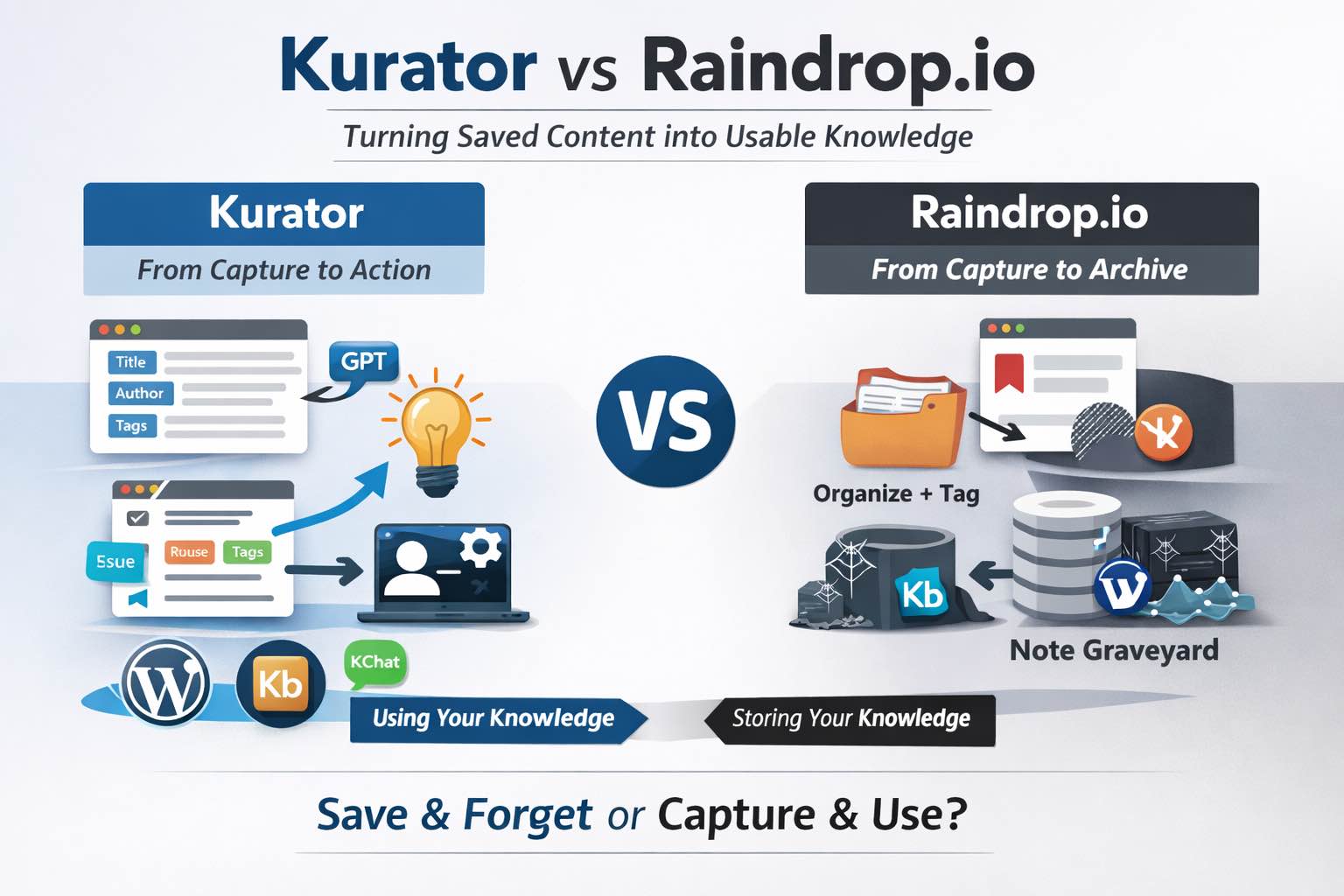
If you’re comparing Kurator vs Raindrop.io, you’re likely trying to solve the same problem most people run into with personal knowledge management:
You save everything…
You organize it…
And then you never go back to it.
It turns into what users bluntly call a “note graveyard.”
Kurator and Raindrop.io are both powerful tools in the PKM (Personal Knowledge Management) space—but they solve very different problems.
- Raindrop.io is a bookmark manager built for saving, organizing, and retrieving links at scale.
- Kurator is a structured knowledge management tool designed to turn saved content into something you can actually reuse, publish, and interact with.
That distinction – saving vs structuring – is what defines how each tool fits into your workflow.
Across user discussions, two themes consistently show up:
- Capture is easy. Transformation is hard.
- Most tools assume you’ll come back to your notes—but you don’t.
At the same time, there’s growing resistance to over-automation:
- Users don’t want AI pushing content at them
- They want control, not noise or distraction
So the real question isn’t:
👉 Which tool helps me save more?
It’s:
👉 Which tool helps me actually use what I save—without getting in my way?
Let’s break down Kurator vs Raindrop.io feature by feature.
1. Kurator vs Raindrop.io: Capture Experience (Bookmarking vs Structured Knowledge Capture)
We are no longer short on information – we are overwhelmed by it.
The real problem isn’t access, it’s what happens after you find something valuable.
Most workflows still rely on passive bookmarking, which quickly turns into a cluttered backlog of links with no context, no structure, and no clear path back to value.
This is where the shift toward Template-Based Knowledge Management becomes critical.
Instead of simply saving content, the goal is to capture it with intent – adding structure, context, and meaning at the moment of discovery so it can be retrieved and reused later.
This distinction, between saving and structuring, is what defines the difference in how tools like Raindrop.io and Kurator approach capture.
Raindrop.io Popup Capture
Raindrop.io excels at fast, frictionless capture:
- Save links instantly via browser extensions
- Organize into collections and tags
- Automatically archive pages (permanent copies)
This is classic bookmark management – quick, reliable, and scalable.
Kurator Popup Capture
Kurator approaches capture differently.
Instead of just saving a link, it:
- Extracts structured fields (headline, author, publisher, tags, etc.)
- Uses a template-based popup
- Applies optional AI prompts at the moment of capture
👉 The key difference:
Raindrop stores content. Kurator structures it.
Why this matters
Most users admit:
“If you’re not processing your notes, you’re just collecting.”
Kurator forces a lightweight processing step upfront, which reduces the chance of content becoming dead weight later.
2. Organization Comparison: Tags vs Structured Knowledge Management in Kurator and Raindrop.io
Once content is captured, the next challenge is making it findable again.
Most PKM tools rely heavily on tags – simple labels meant to categorize information for later retrieval.
In theory, tags offer flexibility. In practice, they often become inconsistent, duplicated, or too vague to be useful over time.
What starts as an organized system slowly turns into guesswork: What did I call this? Where did I put it?
This is where the distinction between tagging and structured knowledge becomes important.
Instead of relying on loose labels, structured systems treat every piece of content as a defined asset – with consistent fields, context, and relationships – making retrieval more precise and reliable.
Raindrop.io Tag System
- Collections + tags + filters
- Full-text search across saved content
- Flexible, user-defined organization
This works well – but comes with a known tradeoff, because the tags are system wide and not managed per collection, its not possible to filter information within certain collections.
👉 Its harder to find your information as the tag
This speaks to the users frustration that state.
- Tags break down over time and don’t help retrieval
Kurator Tag System
Kurator uses:
- Structured metadata fields (not just tags)
- Content tags tied to meaning, not just labels
- Consistent templates across all saved content
👉 Instead of:
“Where did I save this?”
You get:
“Who wrote this? What topic? What context?”
Why this matters
Users repeatedly highlight:
“Stop organizing by topic. Start organizing by intent.”
Kurator leans into this by making structure part of the system – not something you build manually.
3. Search vs Discoverability: How Kurator and Raindrop.io Handle Retrieval
Capturing and organizing information is only half the battle – retrieval is where most systems break down.
Traditional tools rely on search: you type in a keyword and hope you remember enough context to find what you need.
But real-world usage doesn’t work that way.
You often don’t remember exact titles or terms – you remember fragments: the author, the topic, the source.
This is where Kurator’s structured tagging system changes the experience.
Filters for publisher, author, and content tags work not just within a single folder, but across your entire knowledge base, allowing you to navigate information from multiple angles.
Over time, this creates something more powerful than search – a dynamic, interconnected map of your knowledge that mirrors how you actually think, making discovery far more intuitive than simple keyword lookup.
Raindrop.io retrieval method
- Powerful full-text search across pages and PDFs
- Filter by tags, type, domain
This is strong for:
- “I know what I’m looking for”
But weaker for:
- “I forgot I saved this”
Kurator retrieval method
Kurator is built around retrieval and reuse:
- Structured fields improve precision
- Content is ready for filtering by context
- Designed to feed downstream systems (like chat or publishing)
👉 It shifts retrieval from:
Search → Discovery + reuse
Why this matters
The core frustration:
“The knowledge just sits there until you remember it exists.”
Kurator doesn’t rely purely on memory or search – it makes content easier to surface because it’s structured.
4. AI Features Comparison: Kurator’s Custom GPT Approach vs Raindrop.io AI
AI is rapidly becoming a standard layer in PKM tools, but not all implementations are created equal.
Many platforms offer out-of-the-box AI companions that generate generic summaries or highlights, which can be useful – but often lack alignment with why you saved the content in the first place.
The reality is that the purpose behind saving information varies widely: a tutorial needs step-by-step extraction, a research paper needs key insights, and a strategy article may require critical analysis.
Kurator is built around this idea.
Instead of forcing a one-size-fits-all AI output, it allows users to create and apply custom prompts tailored to their specific goals.
This turns AI from a passive summarization tool into an active, user-controlled processing layer that adapts to both the content and the intent behind it.
Raindrop.io AI features
- Recently introduced AI assistant (not core yet)
- Core strength is still storage + search
Kurator Custom Chat AI feature
- Deep integration with custom GPT prompts
- AI works on the actual page content at capture time
- Users define how content is processed
Examples:
- Summarize videos into steps
- Extract intent and questions from my openAI, Gemini or Claude chat
- Extract comments, summarize intent and sentiment and list 7 pro and critical comments
👉 Important distinction:
Kurator uses AI as a processing layer – that is instantly actionable
Why this matters
Users are skeptical of AI in PKM:
- Fear of noise, clutter, or irrelevant suggestions
- Oppose AI dependent organization
Kurator aligns with that mindset:
- You decide what AI does
- Nothing is pushed without intent
Join Our Newsletter
5. Collaboration and Publishing: Sharing Knowledge with Kurator vs Raindrop.io
Most PKM tools treat sharing as an endpoint – you organize your content, then export or publish it as a static page for others to view.
While this works for basic collaboration, it doesn’t reflect how knowledge actually evolves.
Content changes, new insights are added, and context shifts over time.
Kurator approaches this differently.
Instead of static HTML pages, it enables dynamic content galleries that stay synced with your underlying folders.
These collections are structured as SEO-optimized snippets, making them not only easy to share, but also discoverable.
More importantly, they become interactive assets.
Through KChat, your curated content can be queried, explored, and surfaced in real time – turning your knowledge base into a living system that can engage your audience or support your own research workflows.
Raindrop.io Publishing
- Shared collections
- Public pages
- Team collaboration features
Strong for:
- Bookmark sharing
- Lightweight collaboration
Kurator Publishing
- Built for publishing workflows
- Integrates with WordPress (KBucket)
- Connects to conversational interfaces (KChat)
👉 This is a different level:
Not just sharing bookmarks
→ Publishing curated knowledge.
This carousel is an example of Kurator Publishing via KBucket. The KChat bubble on the bottom right is also powered by Kurator.





6. Privacy and Security: How Kurator and Raindrop.io Protect Your Data
Raindrop.io Privacy
- Strong privacy positioning
- No ads, no tracking, secure cloud storage
Kurator Privacy
- Data stored securely (AWS-based infrastructure)
- Focus on user-owned content and API-driven AI usage
👉 Both tools take privacy seriously—but Raindrop markets it more prominently.
Kurator vs Raindrop.io: Feature Comparison Chart
Here’s a quick side-by-side breakdown of how Kurator and Raindrop.io compare across the features that matter most.
| Feature | Kurator | Raindrop.io |
| Structured Meta Data | ✓ | X |
| Filtering per collection | ✓ | X |
| Custom GPT to act on page | ✓ | X |
| Chromium Extension | ✓ | ✓ |
| Firefox @ Safari Support | X | ✓ |
| Permanent Web Page Archive | X | ✓ |
| Duplicate Broken Link Detection | X | ✓ |
| Collaboration & Sharing | ✓ | ✓ |
| Widget Publishing | ✓ | X |
| Conversational Retrieval | ✓ | X |
| Strong Privacy Policy | ✓ | ✓ |
Bottom Line
- Raindrop.io is one of the best bookmark managers available.
It helps you save and organize content at scale, with strong search and archival capabilities. - Kurator is not trying to be a better bookmark manager.
It’s trying to solve the next problem:
👉 How do you turn what you save into something you actually use?
And that’s where the gap in most PKM systems still exists.
As one user put it:
“Capture is easy. Transformation is hard.”
Kurator leans into that problem directly.
Kurator vs Raindrop.io: Which Tool Should You Choose?
If your biggest issue is:
👉 “I need a better way to save links” → Raindrop.io is a strong choice
If your issue is:
👉 “I save everything but never use it” → Kurator is built for that
Because in the end, the goal isn’t to build a perfect archive.
It’s to build a system that actually works when you need it.