
Curation vs Aggregation: Why Context is the New Digital Currency
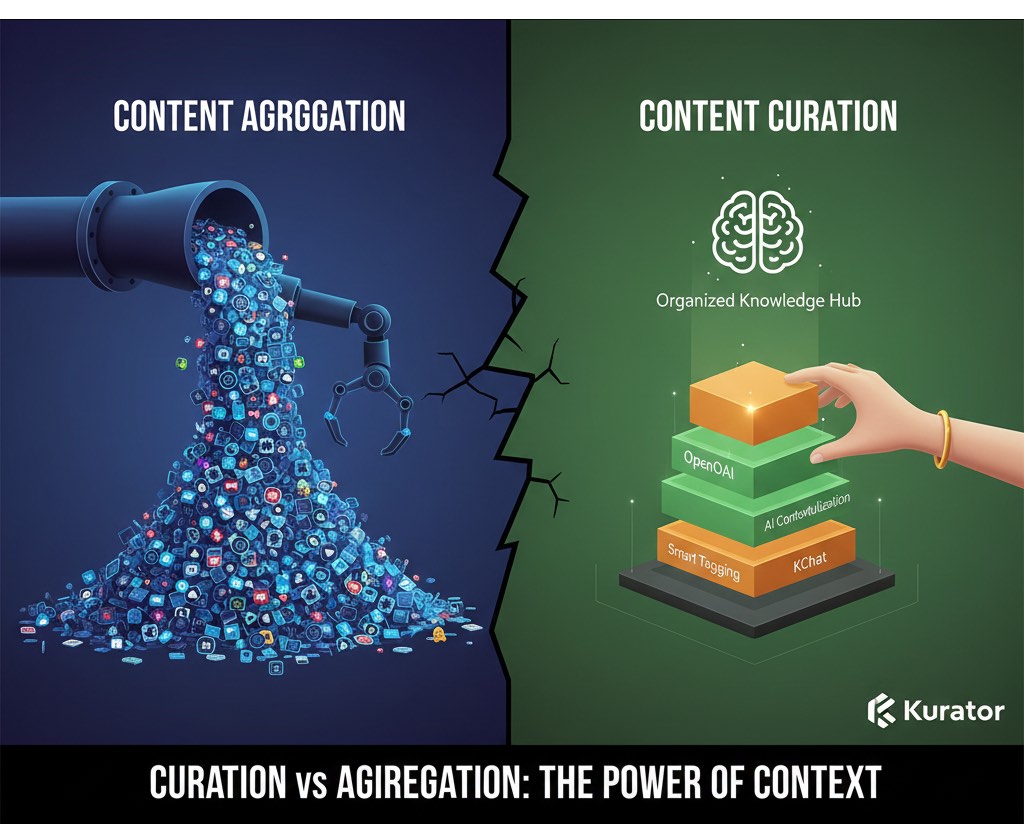
In the digital age, we are drowning in data but starving for knowledge. While the terms are often used interchangeably, understanding the difference between Curation vs. Aggregation is the key to building a high-authority digital presence.
One is a mechanical process; the other is an editorial art form.
What is Content Aggregation?
Aggregation is the automated process of gathering content from various sources based on specific keywords or RSS feeds.
-
The Goal: Breadth and speed.
-
The Result: A high-volume stream of information (think Google News or a basic Twitter feed).
-
The Weakness: Aggregation lacks a “soul.” It treats a high-quality whitepaper and a low-effort listicle with the same weight because they both contain the same keyword.
What is Content Curation?
Curation is traditionally defined as “the act of organizing and maintaining a collection of artworks or artifacts.” In a digital context, it is a manual, editorial process.
-
The Goal: Depth and clarity.
-
The Result: A hand-picked, vetted library that provides a coherent narrative.
-
The Strength: A curator adds “editorial weight,” separating the wheat from the chaff and providing context that an algorithm cannot replicate.
Why Filtering and Social Media aren’t True Curation
Many people mistake “filtering”—simply selecting what to share on X (Twitter)—for curation.
While you are choosing items to share, a social feed is a stream, not a library. It is chronological, ephemeral, and nearly impossible to index or navigate for research. True curation requires Maintenance and Organization—the ability to edit, modify, and re-organize content to offer new perspectives over time.
“Curation is the new role of media professionals… giving folks who don’t want to spend their lives looking for an editorial needle in a haystack a high-quality collection of content.” — Steve Rosenbaum
Kurator: Empowering the Modern Editor
To be an effective editor in the digital age, you need more than just a place to store links—you need a workspace that maintains context through every stage of the research process. Kurator is built to transform your browser into an editorial command center by focusing on three distinct layers of context.
1. Context Through Curated Collections
Curation begins with intentionality. Unlike standard bookmark managers that create a “junk drawer” of links, Kurator allows you to build structured collections.
-
The Power of Folders: You can create project-specific folders and nested sub-folders that mirror your research goals. This ensures every piece of content is instantly categorized within its broader topic.
-
Organized Navigation: By grouping related articles, videos, and documents together, you create a “knowledge hub” where the relationship between different pieces of information is preserved, making it easy to see the big picture at a glance.
2. Organizing Research with Metadata & Filters
True organization is about more than just where a link lives; it’s about how you find and use it later. Kurator enhances your collections with deep organizational tools:
-
Contextual Filtering: Within any folder, you can quickly filter your research by Headline, Author, Publisher, or Content Tags. This allows you to slice through hundreds of links to find exactly what you need based on the context of your current task.
-
Editorial Weight: As you save content, you can add personal comments, edit headlines, and assign custom tags. This “human touch” ensures that when you return to your research months later, the original editorial intent remains intact.
3. AI Context: Custom GPTs with OpenAI and Gemini
The most powerful evolution of Kurator is its seamless integration with OpenAI and Google Gemini. This allows you to use Artificial Intelligence as a specialized editorial assistant that understands the specific page you are viewing.
Instead of generic AI interactions, Kurator lets you create Custom Prompts that leverage the live content of your current tab to generate instant, actionable insights:
For Web Articles (The “Summary & Insights” Prompt)
This prompt is designed to help you quickly vet whether an article belongs in your collection and what its core value is.
Prompt: “You are an expert editorial curator. Summarize this webpage into a concise paragraph. Then, provide a bulleted list of the top 3-5 ‘Knowledge Nuggets’ or main takeaways. Focus on unique insights rather than general information. Keep the tone professional and objective.”
For Product Pages (The “Feature & Sentiment” Prompt)
Use this when researching competitors or new tools to save into your research folders.
Prompt: “You are a market research analyst. Based on this product page, list the primary features and identify at least three distinct use cases for the product. Additionally, analyze the customer reviews or testimonials present on the page to summarize general user sentiment—highlighting one common ‘Pro’ and one common ‘Con’ mentioned by users.”
For AI Conversational Sessions (The “Session Audit” Prompt)
Perfect for when you’ve spent an hour brainstorming with ChatGPT or Gemini and need to archive the “logic” of the session.
Prompt: “You are a knowledge management assistant. Review this entire conversation and provide a high-level summary of the final outcome or consensus reached. Then, generate a chronological list of every query I asked during this session to preserve the research path. Format the list as: [Query #]: ‘Text of the query’.”
Pro-Tips for Kurator Custom GPTs:
-
Specify Your Audience: If you are curating for a specific group, add that to the prompt. Example: “Summarize this for a non-technical CEO.”
-
Define Length: If you want your summaries to look uniform in your KBucket or Kurator galleries, add a constraint like “Keep the summary under 150 words.”
-
Ask for Tags: You can have the AI suggest the best categories for your Kurator folders. Example: “Based on this article, suggest 3 relevant tags for my research folder.”
Comparison at a Glance
| Feature | Aggregation (e.g., Google News) | Curation (e.g. Kurator) |
| Process | Algorithmic / Automated | Editorial / Human-led |
| Value | Saves time finding content | Saves time understanding content |
| Structure | Chronological Stream | Organized Context |
| AI Utility | Generic summaries | Custom-prompted editorial insights |
Conclusion
Aggregation is about finding information; curation is about contextualizing it. In a world of AI-generated noise, the value of a hand-picked, well-maintained collection is higher than ever. By using Kurator to bridge human expertise with AI efficiency, you provide the “organized context” that your audience is actually looking for.
1 thought on “Curation vs Aggregation: Why Context is the New Digital Currency”
Comments are closed.
I think of the sites that pull in news feeds as more aggregation, unless they have a human being actually reviewing and filtering stuff. I think tools like Storify are certainly one type of curation–pulling different piece of content together and adding commentary to create something new. I also think that content curation includes the process of simply being a human filter: reading a lot of different content, picking the best, and sharing (through social channels, on your website, etc.) the best content on a topic. I just don’t think our algorithms can yet surpass people’s ability to curate.